
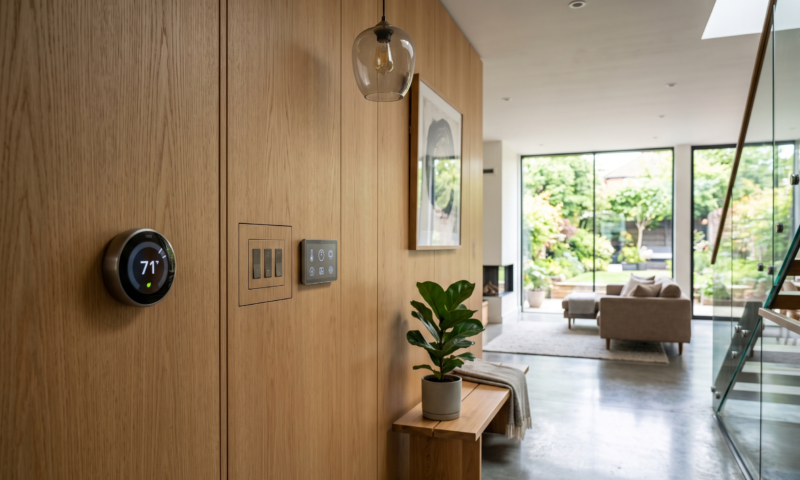
Smart zoning and heating controls play a big part in keeping larger homes comfortable and energy efficient. These systems allow you to fine-tune the temperature in different areas without wasting heat in rooms that aren’t being used.
Managing a multi-zone heating setup used to be confusing, but smart controls have really simplified everything.
I put together this guide to help homeowners make sense of how these systems work and how they can improve day-to-day comfort and energy savings.
Table of Contents
- Understanding Smart Zoning for Homes
- How Smart Heating Controls Work
- Main Components
- Choosing the Products
- Setting Up and Using Multizone Controls
- Getting the Most Out of Smart Zoning
- Questions and Troubleshooting
Understanding Smart Zoning for Homes
Smart zoning involves dividing your home into separate areas, or “zones”, each with its own temperature control. This way, you don’t have to heat the whole house just to keep one room comfortable.
A multi-zone system works best if you have an open-concept layout, rooms that are rarely used, or family members with different temperature needs.
Why Multizone Homes Need Smart Controls:
- Each part of the home gets just the right amount of heat, no more, no less.
- Only heats spaces that are actually being used, which can lower energy bills.
- Everyone gets their preferred temperature in their zone.
Typical Zoning Setups:
- Upstairs and downstairs are common separate zones.
- Different bedrooms or living areas have their own thermostats.
- Spaces like sunrooms or finished basements are often zoned separately because they heat up or cool down at different rates.
How Smart Heating Controls Work
Smart heating controls use connected (often wireless) thermostats, radiator valves, and dampers to regulate heating in each zone. I set the temperature I want for each area, and the system automatically adjusts where and when heat flows.
Some systems even use sensors that detect room occupancy or monitor outside temperatures for even more precise control. Over time, the system “learns” from your habits and helps you maximise both comfort and efficiency. For example, if it sees you always turn down the heat at bedtime, it can start doing that automatically.
Main Components
- Smart Thermostats: One for each zone, allowing for individual control.
- Motorised Dampers or Radiator Valves: Physically open and close to direct heat only where it’s needed.
- Central Hub or App: Lets me control everything from my phone or with voice commands.
Benefits of Smart Controls:
- Saves money by reducing wasted heat and adjusting use based on occupancy or time of day.
- Offers remote scheduling, making sure I’m never heating the house when I’m away or sleeping.
- Provides useful stats on energy use, helping me spot where I could save more or adjust habits. Over time, these insights can lead to even greater savings.
Choosing the Products
Many different brands offer smart thermostats and zoning systems. Some systems are better for bigger homes, while others work great for apartments or smaller houses.
Key Features to Look For:
- Compatibility: A control system that works well with existing heating systems and can be retrofitted easily
- App and Voice Control: Easily manage settings from anywhere on your mobile phone, whether you’re home or away.
- Room Sensors: Detects occupancy or temperature for smarter adjustments, cutting down on unnecessary heating.
- Scheduling: Allows you to create custom heating plans for weekdays, weekends, and holidays.
Setting Up and Using Multizone Controls
Smart heating controls can be installed by a professional or, for some brands, by handy homeowners. Use available support resources. Some companies offer installation videos or live chat support, making it easier to set everything up even if you’re not a heating expert.
Basic Setup Steps:
- Install smart thermostats or valves in each zone according to manufacturer guidance. Careful installation can help you avoid problems later.
- Connect the devices to the central hub and home WiFi. Follow the setup app to pair your hardware correctly.
- Label each zone clearly in the app for easy adjustments down the road. This makes tweaking the schedule easier.
- Set initial schedules based on how and when each space is used. You can always update these as your daily routine changes.
Getting the Most Out of Smart Zoning
- Program heating to drop in bedrooms after everyone gets up and increase comfort in main living areas when you’re home.
- Use vacation or away modes to save energy when you’re out of the house for extended periods.
- Monitor energy usage stats, if your system provides them, to spot where you’re using the most heat and where you might be able to save more.
- Integrate your heating controls with other smart home devices for routines like “Good Night” or “I’m Home”. Automating routines can make daily comfort effortless.
- Remember to review and update your heating schedules as the seasons change, so you’re not needlessly heating empty rooms in summer or missing extra warmth in colder months.
Questions and Troubleshooting
Can I install smart zoning if my current system is old?
Most modern smart zoning kits work with common gas boilers, radiators, or forced air systems. If your heating is very old, a quick call to a heating professional can sort out compatibility. Some older systems may need small upgrades, like switching to WiFi-enabled thermostats.
Does smart zoning really save money?
Based on my experience, heating only the spaces in use can make a noticeable dent in bills, especially in larger homes or when rooms sit empty for long stretches. Reported savings vary, but some homeowners see up to 20% or more off their heating costs after switching to a smart system.
What if my rooms heat up at different speeds?
Every home is unique. Smart thermostats and extra temperature sensors can help balance out hotspots and cold corners for more even comfort. In addition, you can work with a pro to adjust dampers or settings if certain rooms lag behind or heat up too fast.
What if WiFi goes down?
Many smart thermostats still let you control heating directly at the device. Advanced features like remote scheduling or app control just pause until the connection comes back. Once WiFi is back, your schedules and settings should switch back on automatically.